


Video editing software has become one of the most searched topics with the growing reliance on visual content on social media platforms, YouTube, and freelance work. Creating professional videos no longer requires extensive expertise or advanced devices. Many programs now offer simple interfaces and smart tools that make it easy for any user to edit videos.
Moreover, modern video editing software comes with AI features such as background removal, automatic subtitle creation, and video quality enhancement, making them suitable for beginners and content creators who want to produce professional videos with minimal effort.
How to Choose the Right Video Editing Software?
Before downloading any program, it’s important to assess your actual needs. If you are creating short clips for platforms like TikTok or Instagram, a free and easy-to-use software might suffice. However, if you plan to produce longer videos or professional content, you may need a program with more advanced tools.
Additionally, consider factors like user-friendliness, Arabic language support, export speed, compatibility with your operating system, and the availability of templates and effects.
Best Video Editing Software for Beginners
First: Best Free Software
Free programs are the ideal starting point for anyone looking to learn video editing without incurring additional costs.
1. CapCut
CapCut is one of the most popular video editing programs for beginners, featuring a simple interface that makes learning the basics of editing quick, even for those with no prior experience.
Key Features Include:
- An easy and simple interface.
- A large library of effects and transitions.
- Ready templates for short videos.
- Support for editing Reels and TikTok videos.
- Usability on both phone and computer.
- AI-powered tools.
- High-quality video export.
CapCut is an ideal choice for content creators on social media platforms.
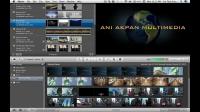
2. iMovie
If you are an Apple device user, iMovie is one of the best free options, as it comes pre-installed on Mac, iPhone, and iPad devices.
Features Include:
- Drag-and-drop interface.
- Easy merging of clips and images.
- Library of transitions and effects.
- Support for 4K videos.
- Excellent integration with Apple devices.
iMovie is a suitable starting point before transitioning to more professional software.
3. Microsoft Clipchamp
Microsoft Clipchamp has become the official video editing program in Windows, offering an easy experience for beginners without the need for powerful hardware.
Key Features Include:
- Usability via browser or app.
- Simple interface.
- Ready templates for various content types.
- Free library of images and videos.
- Quick project export.
It can also be used to create presentations and educational clips easily.
Second: Best Paid Software
If you wish to transition to a more professional level, paid software provides advanced tools, often with free trial versions.
1. Wondershare Filmora
Wondershare Filmora is a widespread editing software among beginners, combining ease of use with professional capabilities.
Key Features Include:
- Easy-to-learn interface.
- Ready templates.
- Professional effects.
- Music and image library.
- AI tools.
- Automatic background removal.
- Improved audio and video quality.
- Support for high-resolution video editing.
Many YouTube content creators rely on Filmora for these reasons.
2. CyberLink PowerDirector
CyberLink PowerDirector is known for its fast performance and ease of use, offering a wide range of professional tools suitable for beginners as well.
Key Features Include:
- Sleek and fast interface.
- High-performance video processing.
- Advanced AI tools.
- 4K video editing.
- Professional visual effects.
- Motion tracking.
- Easy color correction.
The program provides a good balance between performance, speed, and ease of learning.
Which Program Fits Your Needs?
The choice depends on the type of content you want to produce.
- For short videos on social media platforms, CapCut is an ideal option.
- If you're an Apple device user, iMovie offers a free and easy experience.
- For Windows users, Clipchamp provides sufficient tools for most daily uses.
- If you're planning to start a YouTube channel or professional projects, Filmora is a balanced choice.
- For more advanced tools with high processing speed, PowerDirector is worth trying.
It's recommended to try free versions first before purchasing any paid subscriptions.
Tips for Beginners in Video Editing
To achieve better results when learning editing, it's recommended to:
- Start with easy-to-use software.
- Learn the basics of cutting and merging first.
- Utilize ready templates.
- Avoid overusing effects.
- Improve audio quality before adding visual effects.
- Export videos at the right quality for the platform.
- Keep a backup of the project.
- Continuously follow educational tutorials.
Continuous practice is the best way to acquire editing skills quickly.
In conclusion, modern video editing software provides professional tools with easy interfaces suitable for all users. Thus, learning editing is no longer a complex task as in the past. With continued learning and experimentation, you can create professional videos that capture audiences' attention and achieve better results across various platforms.
See Also