



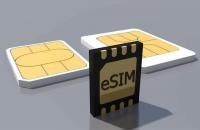
The eSIM technology offers a more flexible way to utilize communication services, allowing users to operate a phone number via an integrated electronic file within a device rather than a physical SIM card.
In Lebanon, major telecom companies such as Alfa and Touch support various activation methods for eSIM, including scanning a QR code.
This service is particularly beneficial for travelers and individuals who use multiple numbers, as compatible devices allow the addition of multiple eSIMs and switching between them in phone settings.
The acquisition and activation process of an eSIM can vary based on the telecom provider, type of line, and device used.
How to Obtain an eSIM in Lebanon
You can get an eSIM from telecom companies offering these services in Lebanon, primarily Alfa and Touch.
Alfa asserts that prepaid line subscribers can obtain an eSIM from its branches, sales points, or authorized agents, with valid ID or a passport.
Postpaid subscribers at Alfa can complete their eSIM request online, with the company sending a QR code via email after the necessary procedures.
How to Activate eSIM on iPhone
Activation Steps
After obtaining the QR code from the telecom provider, follow these steps:
- Open Settings.
- Choose Cellular.
- Tap Add eSIM.
- Select Use QR Code.
- Point your phone's camera at the code obtained from the telecom provider.
- Tap on the notification that appears.
- Choose to add the eSIM file.
- Wait for the eSIM file download to complete.
- A message will confirm the activation is complete.
- Alfa specifies that the phone should be connected to the internet or a wireless network during activation.
How to Activate eSIM on Android
Menu names might slightly differ based on the phone manufacturer and system version, but the general steps are:
Activation Steps
- Open Settings.
- Navigate to Mobile Networks.
- Choose SIM Card Management or a similar option.
- Tap Add eSIM.
- Choose to use the QR code.
- Scan the code received from your telecom provider.
- Wait for the SIM file to download and install.
- Activate the new line from SIM settings.
Alfa suggests these steps for Android devices, with potential variations in menu names depending on the device type.
What You Need Before Activating eSIM
Before beginning activation, ensure the following:
eSIM-Compatible Phone
Your phone must be compatible with eSIM technology. This can be verified through device specifications or SIM settings.
Internet Connection
Downloading the eSIM file requires an internet connection or a wireless network. Thus, performing steps on a stable connection is preferable.
QR Code
The QR code is essential in the activation process for Alfa; keep it safe and do not share it.
ID Documentation
When acquiring an eSIM from Alfa, a valid ID or passport may be needed, depending on the line type and required procedure.
Can You Use Two SIMs in the Same Phone?
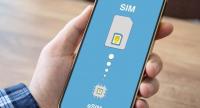
Yes - eSIMs allow two lines on compatible phones, combining a physical SIM and an eSIM.
Some devices can store multiple eSIMs, switchable from the settings. However, the number of operable eSIMs at any time depends on the device type.
Alfa clarifies that users can add multiple eSIMs, with one active at a time per service settings.
Can eSIM be Activated While Traveling?
Yes - You can install the eSIM before arriving in Lebanon if the service and package allow. Ensure an internet connection during installation.
Alfa and Touch support eSIMs for international travelers according to Apple's published information, providing an additional option for those wanting a local service or package while in Lebanon.
Difference Between eSIM and Regular SIM
Both eSIM and traditional SIM perform the same primary function of connecting your phone to a network, but differ in installation.
Traditional SIMs are physical cards inserted into phones, whereas eSIMs are integrated in the device with service files downloaded electronically.
eSIMs offer convenience in adding multiple numbers to compatible devices, helpful for those who switch between numbers or use a local line alongside their primary one.
Important Tips Before Activating eSIM in Lebanon
Keep Your QR Code Safe
Alfa advises against sharing QR codes and keeping them secure, especially if you need to re-download the eSIM file on the same or another device.
Ensure Phone Compatibility
Not all phones support eSIM. It's crucial to confirm your device's compatibility before purchasing the service.
Avoid Unnecessary Deletion of SIM File
Deleting the eSIM file may require new procedures for reactivation. Thus, only delete if absolutely necessary.
Use Stable Internet
Perform activation over a stable wireless network to avoid disruption in downloading the SIM file.
Is eSIM Available in Lebanon?
Yes - eSIM is available in Lebanon, supported by Alfa and Touch. Apple confirms that both carriers support different eSIM activation methods on iPhones, such as QR code scanning or using the carrier’s app.
See Also: