


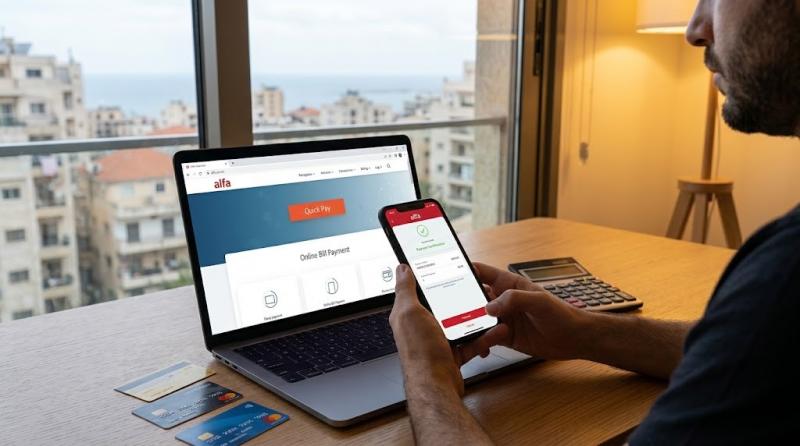
Alfa subscribers can conveniently pay their bills online without needing to visit a company store, thanks to the electronic payment service and the Alfa Mobile app.
Alfa offers the ability to pay bills using a credit card, and the app also allows for the activation of automatic bill payments to avoid missing deadlines.
How to Pay Your Alfa Bill Online?
You can pay your Alfa bill online through the company's official website using the electronic payment and recharge service. The Alfa site provides a secure payment system that accepts supported bank cards.
To pay the bill, follow these steps:

1. Access the Alfa Website
Visit the official Alfa website, then select the personal account section and the payment and recharge service via the official electronic payment page at Alfa.
2. Choose Bill Payment Service
From the payment page, select the service related to bill payment and enter the required information for your line and account.
3. Enter Card Details
After determining the bill amount, enter the required bank card information to complete the payment process. Alfa explains that online payment is available using cards supported by the platform.
4. Confirm the Payment
After entering the required details, review the operation's details, then confirm the payment. It is advised to keep the payment receipt or confirmation message until the bill is settled.
Pay Your Alfa Bill via Alfa Mobile App
The Alfa Mobile app provides another way to pay your bill electronically and allows subscribers to manage more than one account from one place. Alfa confirms that the app allows bill payment using a credit card and enables the activation of automatic bill payments.
The process generally involves:
- Downloading the Alfa Mobile app and logging into your account.
- Selecting the phone number for which you wish to pay the bill.
- Moving to the bill payment option.
- Entering bank card details.
- Confirming the payment process.
- Keeping the confirmation post-payment completion.
The app allows the management of multiple accounts, enabling subscribers to switch between them and monitor all accounts from one place.
Can Automatic Bill Payment for Alfa be Enabled?
Yes, Alfa enables the activation of automatic bill payment through the Alfa Mobile app, allowing subscribers to avoid the need for manual payment each month. This feature is provided alongside direct bill payment using a credit card.
This service is especially beneficial for subscribers who wish to avoid missing payment deadlines or service interruption due to late payment.
How Do I Know My Alfa Bill Amount Before Paying?
Subscribers can check their last bill amount through the Alfa Mobile app or via the inquiry service provided by the company. You can also request bill information using the code #111* and follow the instructions, or send the word Bill to the number 114 for free.
This allows subscribers to verify the due amount before proceeding with the online payment.
What Payment Methods for Alfa Bill Are Available?
Besides online payment, Alfa offers several other methods for bill payment, including cash payments at Alfa stores and authorized dealers, as well as various approved payment companies and centers like OMT, WHISH Money, Libanpost, BoB Finance, and others. Banking settlement is also available for some subscribers.
However, online payment remains a suitable method for those who want to pay the bill remotely without visiting a store or payment center.
What to Do If I Encounter a Problem While Paying My Alfa Bill?
If the payment process is incomplete or there is an account issue, you can contact Alfa customer service. The company provides the number 111 for free when calling from an Alfa line.
You can also call 03 391 111 from another network. Alfa also offers a live chat service on their website.
It is better not to repeat the payment process directly if an error appears after the amount is deducted from the card, but first check the transaction status or contact customer service to ensure the payment is not charged twice.
See Also: