


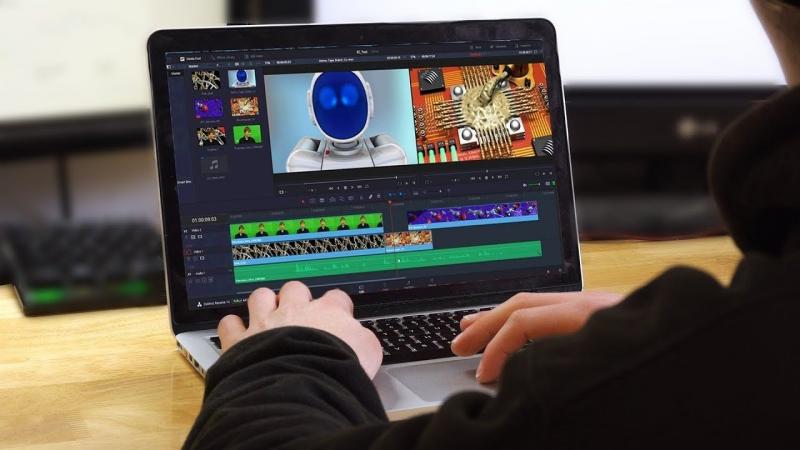
Video editing software has become essential for content creators, video editors, and production companies, especially with the rise of platforms like YouTube, TikTok, and Instagram. Editing is no longer just for professionals; there are programs suitable for all skill levels, from beginners to those in the film industry.
By 2026, notable advancements in video editing software have been driven by the integration of artificial intelligence technologies. These innovations aid in automatic video cutting, noise removal, enhancement of audio and video quality, and automatic subtitle creation, saving users significant time and effort.
How to Choose the Best Editing Software?
The right software selection depends on several factors, including your expertise level, the type of content you produce, your device's capabilities, and your budget.
Moreover, while some users prefer free software with basic tools, professionals need advanced programs that support 4K and 8K video editing, color correction, and sophisticated visual effects.
Top 10 Video Editing Software in 2026
1. Adobe Premiere Pro
Adobe Premiere Pro is a top choice for many professionals and filmmakers, known for its advanced tools and extensive video editing capabilities. It integrates seamlessly with other Adobe programs such as After Effects, Photoshop, and Audition, alongside AI features that speed up editing processes.
Main Features:
- Suitable for professional projects.
- Supports nearly all video formats.
- Advanced audio and color editing tools.
- Excellent integration with Adobe software.
Cons:
- Subscription required.
- Requires high-spec hardware.
2. DaVinci Resolve
DaVinci Resolve is one of the most powerful editing programs worldwide, especially known for its color correction capabilities. It offers a feature-rich free version, making it a favorite among many content creators and directors.
Main Features:
- Best color grading tools.
- Robust free version.
- Professional audio and effects tools.
- Ideal for films and commercials.
3. Final Cut Pro
Final Cut Pro is targeted at Mac users only, excelling in video processing speed and full utilization of Apple Silicon processors.
Main Features:
- Superior performance.
- One-time purchase without subscription.
- Suited for 4K and 8K video editing.
- Easy and fluid interface.
4. CapCut
CapCut has become widespread due to its ease of use and artificial intelligence tools, along with ready-made templates suitable for content creators.
Main Features:
- Largely free.
- Ideal for beginners.
- Available for both mobile and desktop.
- Ready-to-use effects and templates.
5. Wondershare Filmora
Filmora offers a splendid balance between simplicity and professionalism, making it the best choice for content creators needing quick video production.
Main Features:
- User-friendly interface.
- Drag and drop tools.
- Pre-made effects.
- Suitable for YouTube and social platforms.
6. Shotcut
Shotcut is one of the best free, open-source programs, notable for watermark-free editing and supporting Windows, Mac, and Linux systems.
Main Features:
- Completely free.
- Open-source.
- Lightweight on devices.
- Supports most video formats.
7. VEGAS Pro
VEGAS Pro is known for its ease of use compared to some other professional programs, offering robust video and audio editing tools, and good support for visual effects.
8. CyberLink PowerDirector
PowerDirector stands out for its speed in editing and AI-based tools like background removal and automatic video quality enhancement.

9. iMovie
If you’re an Apple user searching for a free, easy program, iMovie is an excellent starting point, especially for beginners.
10. OpenShot
OpenShot is a popular free, open-source editing program, known for its simplicity and support across various operating systems, with tools suited for simple to medium-level projects.
The Best Editing Software for Your Needs
The ideal program depends on your usage. Key options include:
- For films and professional production: Adobe Premiere Pro.
- For the best color correction: DaVinci Resolve.
- For Mac users: Final Cut Pro.
- For TikTok and YouTube content creators: CapCut and Filmora.
- For the best free program: Shotcut and OpenShot.
- For beginners: iMovie and CapCut.
What Are the Key Features to Look For?
Before choosing an editing program, ensure the availability of the following features:
- Support for 4K and 8K resolution.
- AI tools.
- Professional color grading.
- Sound editing.
- A library of transitions and effects.
- Quick video export.
- Arabic language support when needed.
- Compatibility with your operating system.
Additionally, it is beneficial to choose software that receives continuous updates to take advantage of the latest technologies.
Are Free Programs Sufficient?
Free programs have evolved significantly in recent years. They offer tools sufficient for most YouTube, Instagram, and TikTok content creators. Conversely, those involved in film production or major commercial projects require professional programs that provide greater control over all video details.
In conclusion, the list of best video editing software in 2026 includes options suitable for all users, whether you are a beginner or a professional. The final choice depends on your budget, level of expertise, and the type of projects you are working on.
See Also