


Free video editing tools have become essential for content creators, marketers, and digital entrepreneurs seeking professional solutions without hefty subscriptions. With rapid advancements in AI and digital editing, free tools now offer advanced capabilities rivaling many paid programs.
Additionally, these tools vary by usage. Some cater to professionals working on large projects, while others focus on creating short videos for social media platforms.
Why Are Free Editing Software So Popular?
In the past, most professional video editing tools required expensive licenses. Today, many companies offer powerful free versions that allow users to edit videos, add effects, and export in high quality.
Moreover, platforms like YouTube, TikTok, and Instagram have increased demand for easy and fast tools for creating visual content.
Best Free Video Editing Software for Computers
1. DaVinci Resolve
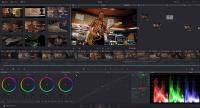
DaVinci Resolve is among the world's most powerful free editing software, used by many filmmakers and professionals.
Key Features
-Professional color correction
-Advanced visual effects
-Professional audio editing
-4K and 8K support
-No watermark in the free version
The free version offers most tools users need, making it suitable for both beginners and professionals.
2. CapCut Desktop
CapCut Desktop has gained fame for its ease of use and AI integration.
Key Features
-Auto subtitle creation
-Background removal
-Extensive effects library
-Specialized tools for TikTok and YouTube content
An ideal choice for content creators who value speed and simplicity.
3. Shotcut
Shotcut is an open-source and completely free program.
Key Features
-4K video support
-Light on devices
-Ad-free
-Supports multiple operating systems
A great option for users with mid-range or low-end devices.
4. OpenShot Video Editor
OpenShot provides an easy and seamless experience for editing beginners.
Key Features
-Simple interface
-Drag and drop system
-Easy text and effects addition
-Completely free
No technical expertise needed to get started.
5. Clipchamp
Clipchamp is a leading cloud-based video editor, integrated with Windows 11.
Key Features
-Free export in 1080p quality
-Screen recording
-Ready-to-use templates
-Free music library
Accessible directly from the browser without additional installations.
6. Canva Video Editor
Canva has expanded beyond design, now offering robust video editing tools.
Key Features
-Thousands of ready-made templates
-Ideal for reels and short stories
-User-friendly
-Extensive visual elements library
A perfect choice for marketers and small business owners.
7. VN Video Editor
VN Video Editor is a leading free editing app for smartphones.
Key Features
-Multi-layer timeline
-Professional speed control
-No watermark
-Support for advanced effects
Offers an experience similar to professional computer software.
8. CapCut Mobile
Extremely popular among short video creators.
Key Features
-Ready-to-use effects
-Trending templates
-Professional transitions
-AI tools
Enables users to create attractive videos in minutes.

9. InShot
InShot is widely popular among Instagram and TikTok users.
Key Features
-Video resizing
-Photo and video merging
-Easy interface
-Quick editing tools
Great for users needing fast short video edits.
10. KineMaster
An established professional editing app for smartphones.
Key Features
-Multiple video layers
-Green screen technology
-Professional transition effects
-Advanced editing tools
Despite the watermark in the free version, it's among the strongest choices for advanced users.
How to Choose the Best Video Editing Tool?
Choice depends on project nature and device used.
For Professionals
DaVinci Resolve is best for cinematic and professional projects.
For Content Creators
CapCut is the fastest option for creating YouTube, TikTok, and Instagram content.
For Beginners
OpenShot or Canva are recommended for their learning ease.
For Mobile Users
VN Video Editor and CapCut Mobile lead as balanced apps between ease and professionalism.
Are Free Tools Enough for Professional Video Creation?
In most cases, yes. Free tools now offer advanced features like color correction, visual effects, background removal, and auto subtitling.
Moreover, video success relies more on the quality of idea, shooting, and production than just the software used.
In conclusion, the top 10 free video editing tools provide users the opportunity to create professional content without major investments. With ongoing AI and editing technology advancements, today's free software is more powerful and efficient than ever.
See also