


Paying your Alfa bill online in Lebanon has become an increasingly convenient way to manage monthly expenses without the need to visit a company branch or payment center. Alfa provides its subscribers with the option to pay their bills electronically using bank cards, track their bill amounts, and monitor their usage through both their website and the Alfa Mobile app.
This service is particularly beneficial for Postpaid or fixed-line subscribers who need to regularly monitor their bills and payment due dates to avoid an interruption in service. Alfa offers several methods to inquire about bill amounts, including through its website, Alfa Mobile app, or by sending an SMS to 114.
What is the Alfa Online Bill Payment Service?
Alfa offers an electronic bill payment service for fixed lines via the internet using accepted electronic payment cards. The official payment page can be found on Alfa's website under the Pay & Recharge section, offering a secure payment system for subscribers.
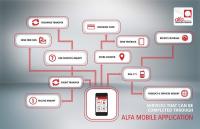
Subscribers can also manage their account and pay their bill directly from their phone using the Alfa Mobile app, with the option to activate automatic bill payment using a credit card.
Step-by-Step Guide to Paying Alfa Bills Online
Step 1: Access the Online Payment Service
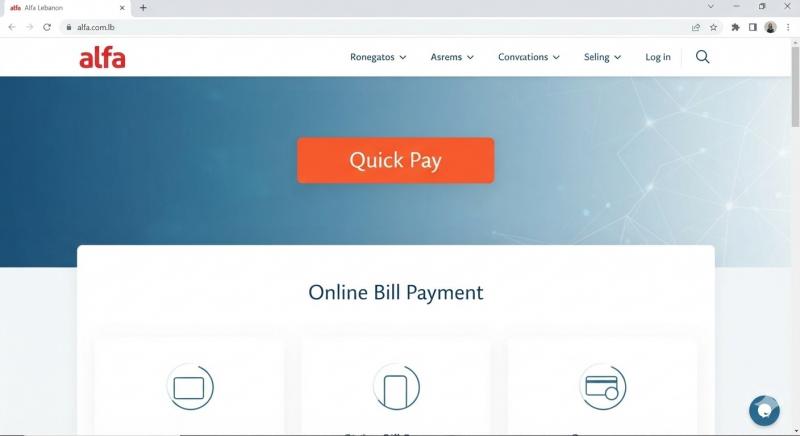
Start by visiting the official Alfa website and navigate to the account and payment and recharge services section. The official payment page can be accessed through:
Alfa Official Payment and Recharge Page
The page displays the electronic payment service and provides information on accepted payment cards and the secure payment system.
Step 2: Choose to Pay the Bill
After accessing the payment service, select the service for paying either the fixed line or Postpaid bill and follow the on-screen instructions. You may need to enter the required line or account data, so it's best to verify the line number before completing the process.
Step 3: Review the Bill Amount
Before making a payment, ensure the amount due is correct. Alfa allows subscribers to inquire about their bill either through the website or Alfa Mobile app. You can also send the word 'Bill' to 114 for free to inquire about your bill, or call 114 from your Alfa line.
Step 4: Enter Card Details
After verifying the bill amount, enter the required payment card details in the fields provided on the payment page. Alfa states that electronic bill payment is available using Visa and MasterCard.
Step 5: Confirm Payment
Review your details and the amount again, then complete the payment process as per the bank or payment page instructions. After a successful transaction, keep a payment confirmation or electronic receipt for future reference.
Paying Alfa Bills via Alfa Mobile App
The Alfa Mobile application is a practical option for subscribers who prefer to handle transactions via their phone. The new app allows the management of multiple Alfa accounts from one place and includes the bill payment feature with a credit card, along with the ability to enable an automatic payment option for bills.
To use the app for bill payment:
- Open the Alfa Mobile app.
- Log into your account.
- Select the desired line.
- Check the bill amount.
- Choose the payment option.
- Enter card details.
- Confirm the payment.
Make sure to update to the latest version of the app before using the payment feature.
How to Check Your Alfa Bill Amount?
If you wish to know your bill amount before payment, Alfa offers several official ways to inquire:
- Via the Alfa website.
- Through the Alfa Mobile app.
- By sending 'Bill' to 114 for free.
- By calling 114.
- By dialing *111# and following the instructions for available services.
According to the company's FAQ section, you can also view the last three bills online.
When is the Alfa Bill Due?
The due date of your Alfa bill depends on your billing cycle. There are four main billing cycles:
- Cycle 8: Payment due on the 23rd of the month.
- Cycle 15: Payment due on the 30th of the month.
- Cycle 22: Payment due on the 6th of the following month.
- Cycle 25: Payment due on the 12th of the month for cash payments, with other terms varying by collection method.
Knowing your bill cycle is crucial to avoid last-minute issues.
What Happens If You Delay in Paying Your Alfa Bill?
Alfa advises subscribers to settle their bill before the due date to maintain active service. For fixed lines, Alfa outlines the steps taken for non-payment, which can lead to phone call suspension and eventually cancellation if the delay continues. According to official information, outgoing calls are blocked the day after the due date, and the line may be suspended 10 days post-due date, with details varying based on payment method.
Thus, online bill payment remains a practical option to prevent delays and ensure continuous service.
Is Automatic Payment for Alfa Bill Available?
Yes, the Alfa Mobile app provides the option to activate automatic bill payment using a credit card, helping subscribers avoid forgetting monthly due dates. Alfa also offers bank settlement options that deduct the bill amount directly from the bank account each month after completing the necessary procedures.
What Are the Other Alfa Bill Payment Methods?
Besides online payment, Alfa offers several other options for bill payment:
- Cash payment at Alfa stores.
- Payments at authorized agents.
- BoB Finance.
- CashUnited.
- OMT.
- WHISH Money.
- KATSH.
- LibanPost.
- MTM.
- Areeba.
- Monty Finance.
- Cash Plus.
- Bank settlement.
- Door-to-door collection service where available.
Payments by card are also available at Alfa stores and are offered without extra cost.
Where Can You Pay Alfa Bills in Cash?
If you prefer not to use online payment, Alfa provides a tool on their website to find a store or an authorized agent for bill payment services.
Find Alfa Stores and Payment Centers
The search tool allows you to choose the region and type of service, such as bill payment, to locate service providers.
What If You Pay the Bill and the Service Doesn't Resume?
If you find any issues with connectivity or calls after settling your bill, Alfa advises confirming the successful completion of the transaction, then contacting their customer service or official support channels if the problem persists.
Customer service is available free of charge at 111 from Alfa lines, with an international customer service number available for other networks. Service hours run daily from 7 AM to 1 AM, and digital support channels are also accessible.
Tips Before Paying Your Alfa Bill Online
Following a few simple steps can ensure smooth payment:
- Ensure you use the official Alfa website or Alfa Mobile app.
- Review your phone number before confirming payment.
- Verify the bill amount.
- Check the validity of your payment card.
- Avoid entering card details on suspicious links received via messages.
- Keep payment confirmation.
- Regularly monitor bill due dates.
- Activate automatic payment if it suits you.
Conclusion
Paying your Alfa bill online has become a convenient and fast way to handle monthly payments without visiting branches. Subscribers can use the Alfa website or Alfa Mobile app, and inquire about bill amounts via the app, website, or by calling 114. Additionally, Alfa offers a wide range of other payment methods, including banks, authorized agents, money transfer companies, and Alfa stores. The key is adhering to payment due dates, particularly for fixed-line subscribers, to avoid service suspension due to late payments.
Related Articles: